
5.4 KiB
Game Proposal: Bungeoppang Tycoon
- Name: Jisu Park
- Student ID: 20265185
- Repository URL: https://git.prototyping.id/20265185/homework5.git
Table of Contents
1. Game Overview
This project aims to implement a time-management cooking game based on an existing game. The player prepares fish-shaped bread (붕어빵) and serves customers within a limited time.
The goal of the game is to earn a target score before the time runs out. The player loses if the target score is not reached.
2. Game Mechanics
The player interacts with the game through mouse clicks.
| Action | Description |
|---|---|
| Fill | Add batter and click a filling (Red bean, Custard, Sweet potato). |
| Flip | Flip the bread at the right time to cook both sides. |
| Package | Once the bread is cooked, clicking it moves it into a paper bag (Inventory). |
| Serve | Clicking a waiting customer delivers the currently bagged bread to them. |
The player must prepare different types of fish-shaped bread based on customer orders. There are three types of fish bread: red bean, custard cream, and sweet potato.
Each customer requests a specific type and quantity. The player must correctly prepare and serve the requested items to earn points.
3. Core Systems
3.1 Cooking System (Time-based Logic)
The cooking system manages the state of each fish bread over time. Each mold tracks its status using a timer.
Empty → Batter Filled → Cooking → Ready (or Burnt if neglected).

This system will be implemented using fish bread objects stored in an array. Each object will contain its current state and a timer value to track cooking progress.
Example properties:
- state
- cookingTime
- flipped
3.2 Player Interaction System (Event-based)
The player interacts with the game mainly through mouse clicks.
Possible actions include filling batter, flipping fish bread, collecting finished bread, and serving customers.
This system will be implemented with click event handling.
Depending on which game element is clicked, the corresponding object state will be updated.
3.3 Score and Game Goal
The player earns points by serving correct orders within a limited time. Burnt fish bread cannot be sold, and customers may leave if they wait too long.
This system will be implemented with game-level variables such as score, target score, and remaining time. The game manager will continuously check whether the player has won or lost.
Win condition:
- Reach target score within time limit
Lose condition:
- Time runs out before reaching the goal
3.4 Customer and Order Management(Higher-Order Functions)
Customers are stored as objects in an array.
This system will use higher-order functions to manage customer states efficiently.
For example, the game will update customer patience, filter active customers, and check completed orders using array methods.
Main properties:
- orderType
- quantity
- patience
- status
This system will use higher-order functions in three main ways:
-
map()to update customer data over time, such as decreasing patience or changing status -
filter()to extract active customers who are still waiting for service -
some()andevery()to check order-related conditions, such as whether any customer has left or whether all active orders have been completed. -
Example:
// Update customer patience using filter and map
function updateCustomers() {
  customers = customers
    .map(c => ({ ...c, patience: c.patience - 1 }))
    .filter(c => c.patience > 0);
}
3.5 Dynamic Difficulty Scaling
To increase challenge over time, the game implements a scaling system:
- Spawn Rate: The interval between new customer arrivals decreases as the score increases.
- Patience Decay: The rate at which the
patiencevalue drops will accelerate over time, requiring faster multitasking.
4. UI Design
The user interface will be implemented using p5.js by combining geometric shapes and images.
Each fish bread mold will be drawn as a frame, and the inside of the frame will display different images based on the cooking state.
Each mold will correspond to a fish bread object, and its visual representation will be updated according to the object's state (e.g., empty, cooking, ready, burnt).
- Ingredient Zone: Three distinct colored rectangles or icons representing the fillings.
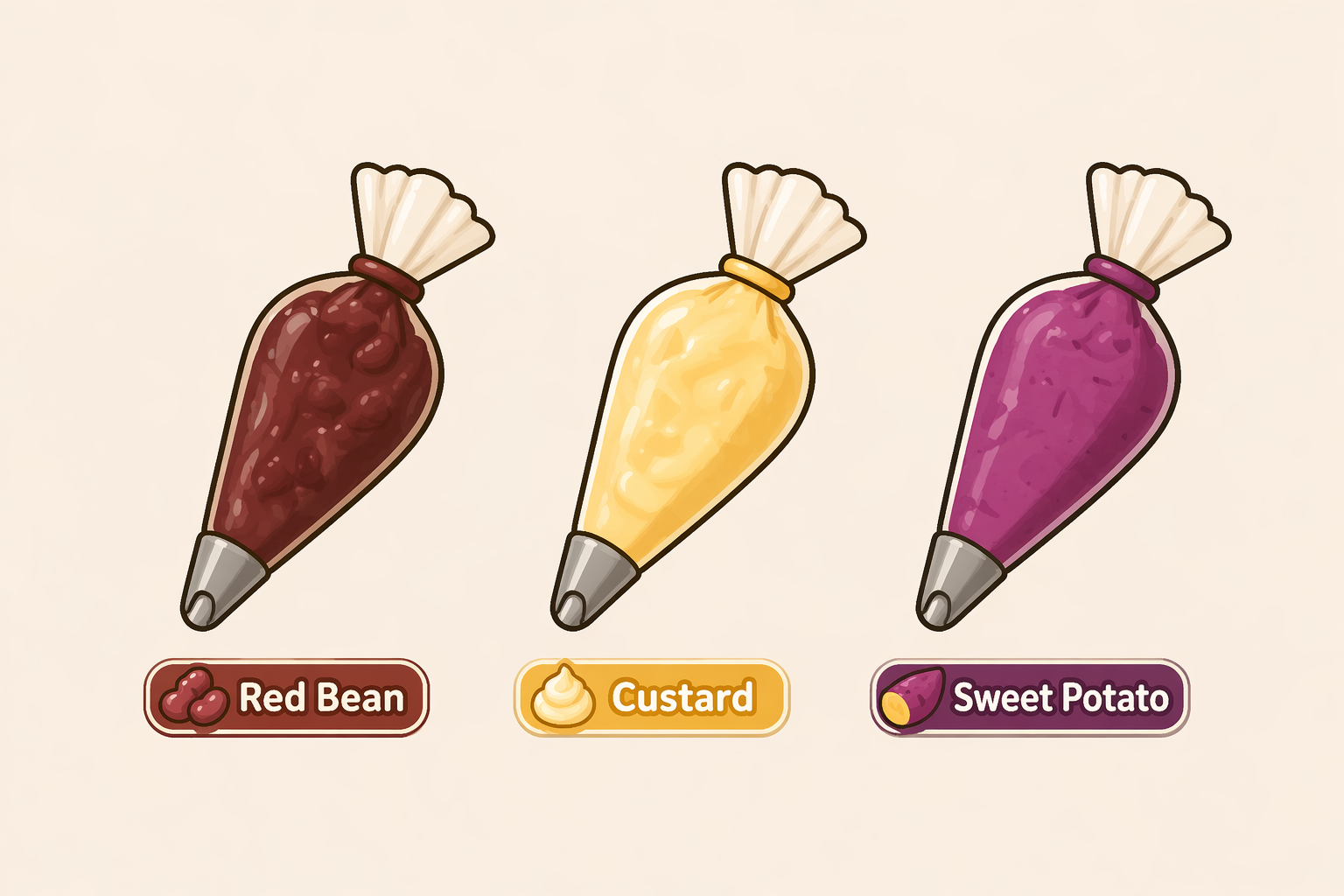
- Inventory Slot: A dedicated space on the UI showing the bread currently held in the "bag".

- Visual Feedback:
- Selected filling will be highlighted with a border.
- Customer Speech Bubbles: Each customer will display a speech bubble containing an icon of the ordered filling and the required quantity (e.g., 🥯 x 3).
- Patience Gauge: A color-changing bar (Green → Red) above the speech bubble to show remaining waiting time.

